

Zone 2 Running App for Apple Watch
Keep your easy run easy. Follow your heart-rate zone on your wrist, set a target, and let RunZone’s voice and haptic coaching help you stay with the effort you intended.
Apple Watch workouts, zone goals, and coaching require Premium. Free outdoor Run tracking on iPhone.
iOS 26+ · watchOS 26+ Device requirements
Requires iOS / iPadOS 26 or later. Apple Watch workouts require Premium and watchOS 26 or later on Watch Series 6+, SE 2+, or Ultra.
- Works with Apple Health
- Health data on your devices; sharing is your choice
- No RunZone account
- Premium Watch workouts work offline
Understand the effort
What is Zone 2 running?
Zone 2 running usually means a steady, easy aerobic effort used to build endurance. You should be able to speak in full sentences. The aim is a sustainable effort, even when that means a slower pace or a walking break.
- Physiology and zone labels differ. A 2025 expert viewpoint on Zone 2 training places the preferred effort just below the first lactate or ventilatory threshold. A numbered zone on a watch is an estimate, not a measurement of that threshold.
- Your boundaries matter. Zone 2 is not one universal percentage of maximum heart rate. RunZone uses maximum and resting heart rate to estimate five zones with the heart-rate-reserve method. Premium lets you override those two inputs in Settings > HR Zones.
Use breathing and perceived effort alongside heart rate. If you need precise physiological boundaries, a suitable exercise test can help identify them.
Premium · Follow your effort
Less checking. More running.
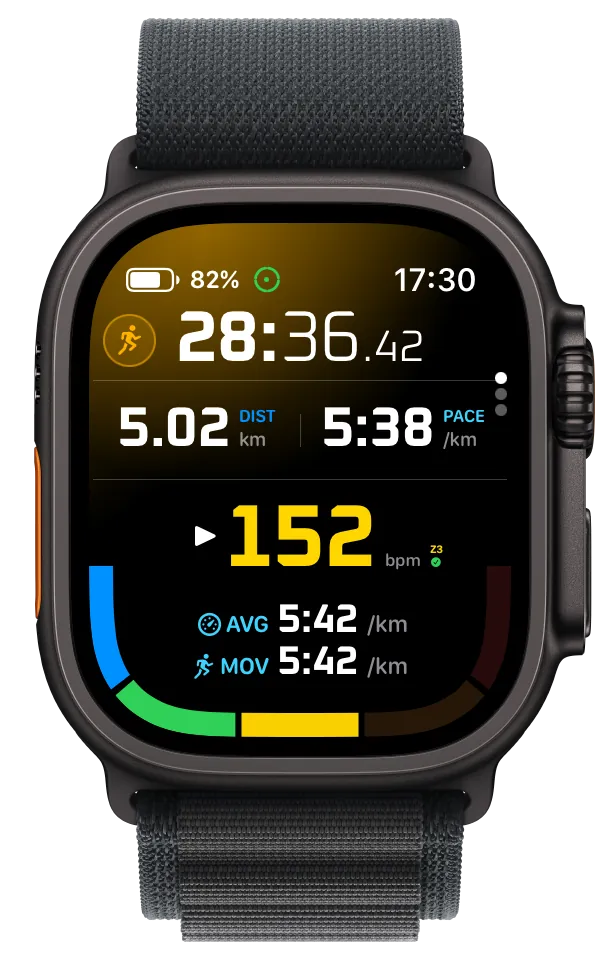
RunZone brings your live heart rate, zone, and workout goal together on Apple Watch. Choose the feedback that helps you keep an easy run on track.
- A target, not just a number. Select Zone 2 as your target to get coaching above or below it. A max-zone goal only warns when you go above the selected zone.
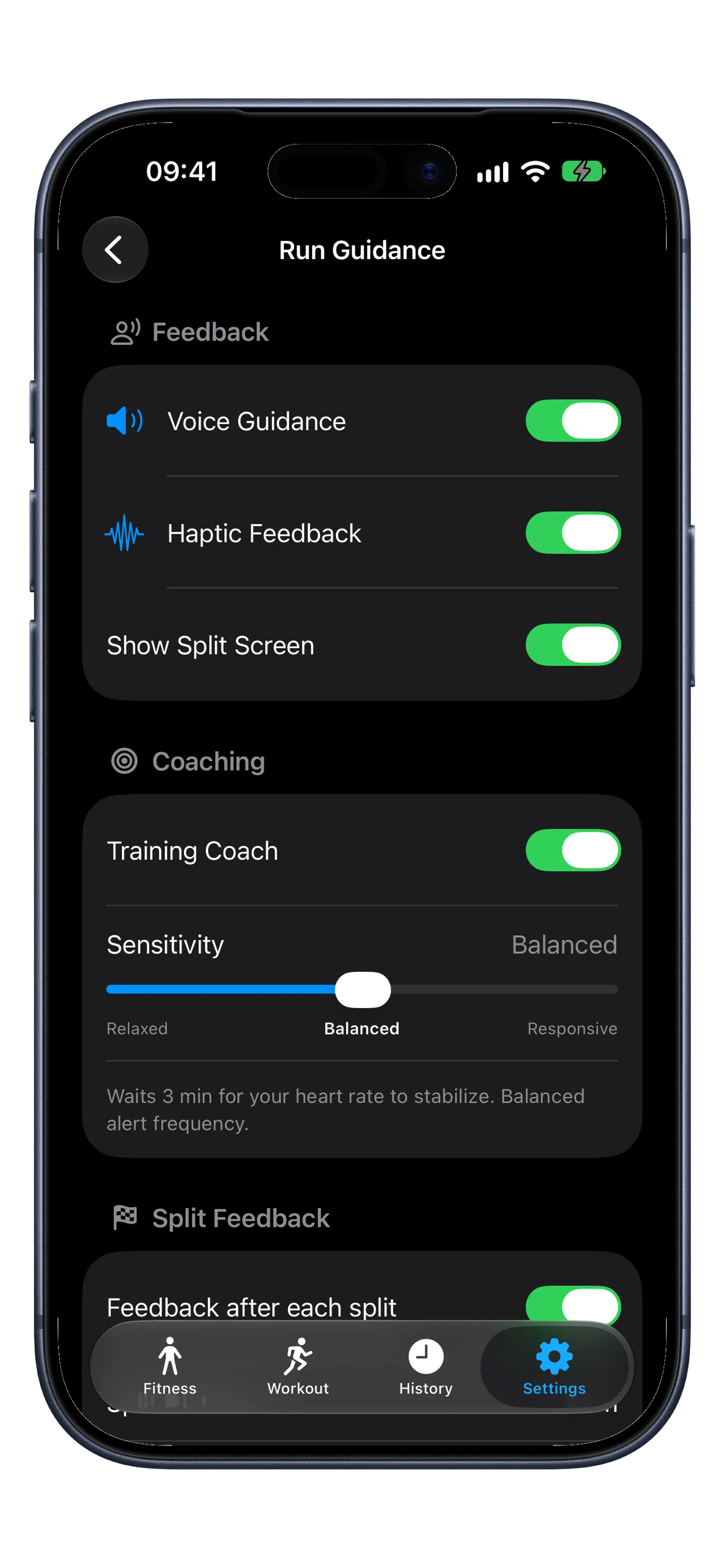
- Hear it or feel it. Enable Training Coach with voice, haptics, or both. Relaxed, Balanced, and Responsive sensitivity change how quickly and often coaching responds.
- Settings for your session. Guidance is saved separately for each workout type, including Run and Indoor Run. Review your recorded workout in History; Premium adds detailed charts and full readable History.
Your first Zone 2 run
Set your zone. Start easy.
With Premium, prepare your run on iPhone and confirm it on Apple Watch.
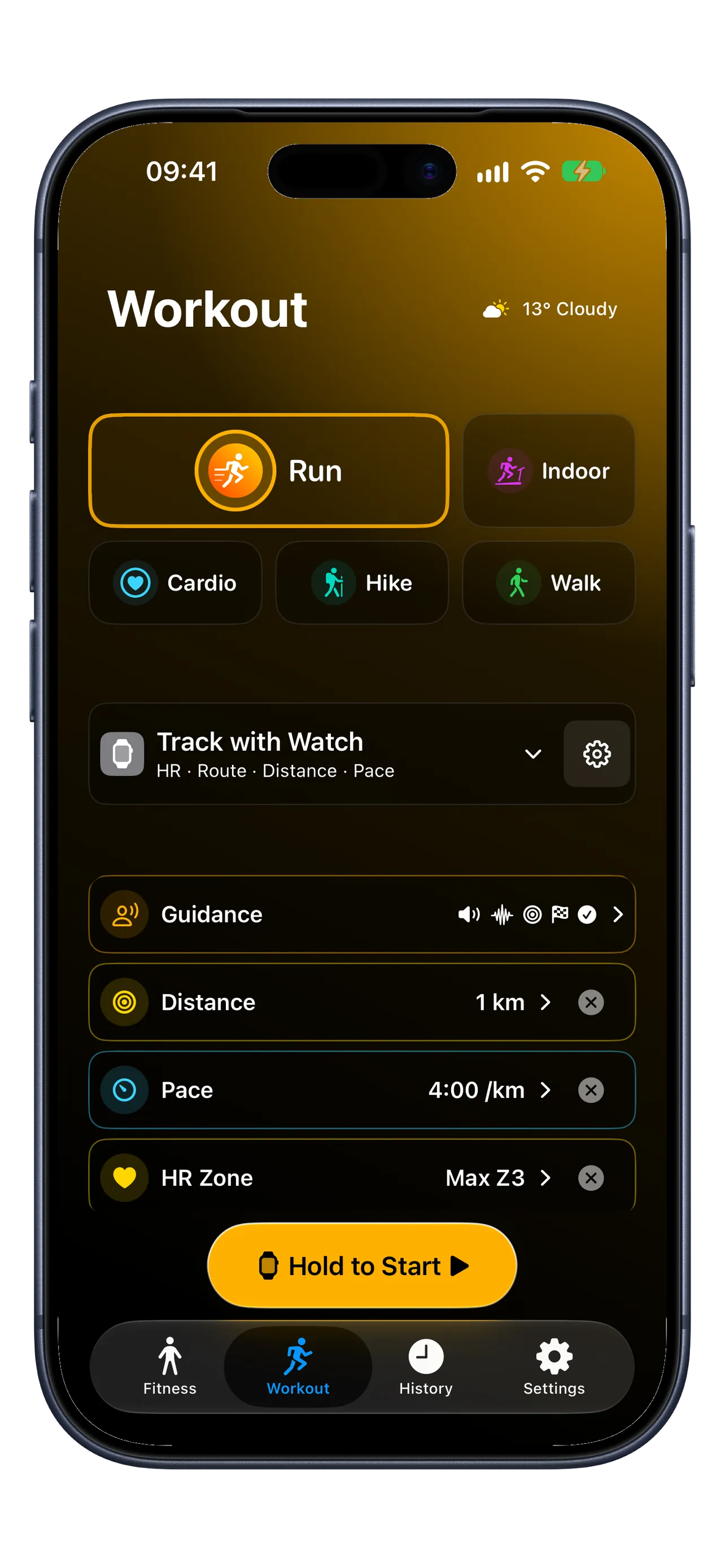
- Choose your workout. Open the Workout tab, select Run, then Track with Watch.
- Set the target. Open HR Zone, choose Target as the goal type, and select Zone 2. Check your heart-rate settings before relying on the range.
- Choose your cues. Open Guidance, enable Training Coach, and turn on Voice Guidance, Haptic Feedback, or both.
- Confirm and go. Hold to Start on iPhone, review the setup, and confirm on Apple Watch. Warm up gently and adjust your pace to your effort.
How to stay in Zone 2 while running
Let effort set the pace.
Pick a flat route, start gently, and aim for comfortable conversation. Slow down on climbs or take a walking break when effort rises. Heat and fatigue can push heart rate up even at the same pace, so an easy run can look different from day to day.
A zone alert is a cue to reassess your effort. It does not identify your physiological threshold or guarantee that a particular intensity is right for you.
Before you start
Zone 2 running questions
What is Zone 2 running?
Zone 2 running usually means easy, sustainable aerobic running. In physiological discussions, it commonly refers to effort just below the first lactate or ventilatory threshold. A device’s numbered Zone 2 is a calculated range and may not match that threshold.
How do I find my Zone 2 heart-rate range?
Start with an individualized estimate and check that it feels easy enough to speak in full sentences. RunZone calculates zones using maximum and resting heart rate through the heart-rate-reserve method. Premium allows maximum and resting heart-rate overrides in Settings > HR Zones. A suitable exercise test can help establish your physiological thresholds more precisely.
How can I stay in Zone 2 while running?
Warm up gently, choose a flat route, and let effort guide your pace. Slow down or take walking breaks when heart rate rises above your intended range. Heat, hills, fatigue, and heart-rate drift can change the pace that feels easy. Treat the number as guidance alongside breathing and perceived effort.
Can RunZone alert me when I leave my target heart-rate zone?
Yes, with Premium and Apple Watch recording. Choose a target HR zone and enable Training Coach in Guidance, with Voice Guidance, Haptic Feedback, or both. Coaching responds when you are above or below the target according to its sensitivity settings. A max HR zone goal only warns above the selected zone.
Do I need an additional account to use RunZone?
No RunZone account is required. RunZone uses Apple Health permissions for supported health data and workout storage. Health data stays on your devices unless you choose to share it, for example by exporting a workout.
Is RunZone free?
RunZone is free to download. Free includes outdoor Run recording on iPhone, the three most recent readable workouts, basic route maps, and current Workout Readiness when data is available. Apple Watch workouts, zone goals, and Guidance require Premium. Monthly and annual subscriptions, localized prices, and any eligible trial are shown in the app before purchase.
What should I look for in the best Zone 2 running app for me?
Look for clear live heart-rate information, understandable zone settings, feedback you can use while running, and a price that fits your needs. RunZone Premium combines configurable Training Coach sensitivity, per-workout Guidance, and detailed iPhone workout review.
Run in the Zone.
Give your easy run a clear target.
Try RunZone on iPhone and Apple Watch. Download free; Apple Watch workouts, zone goals, and coaching require Premium.
Compare Free and Premium