

A little context for your next move.
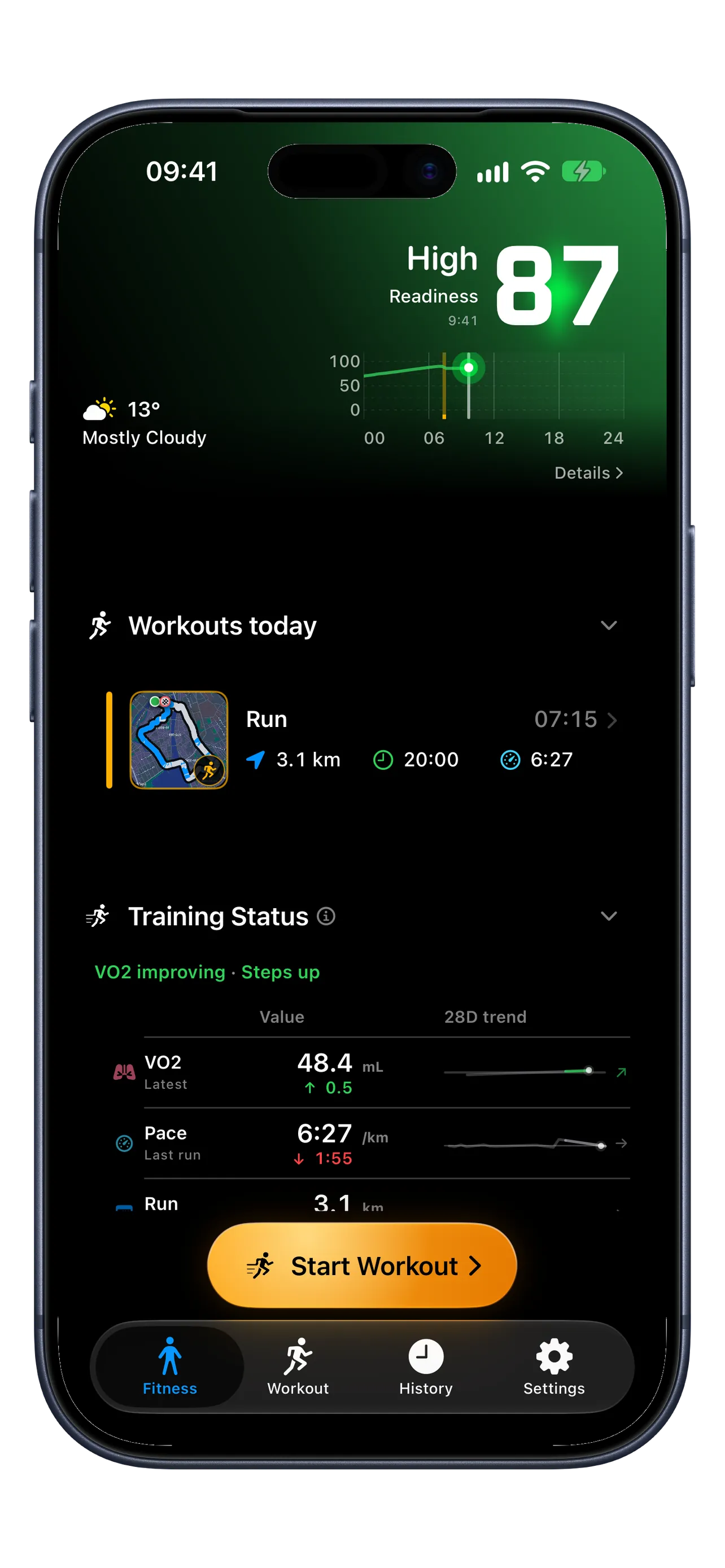
Start with your current Workout Readiness: a score, classification, and short explanation when enough Apple Health data is available. Then explore your training, Body Signals, and activity over time.
Fitness is available on iPhone and iPad. Free includes current Workout Readiness; Premium adds timelines, trends, Training Status, and Body Signals.
iOS 26+ · watchOS 26+ Device requirements
Requires iOS / iPadOS 26 or later. Apple Watch workouts require Premium and watchOS 26 or later on Watch Series 6+, SE 2+, or Ultra.
- Works with Apple Health
- Health data stays on your devices
- No RunZone account
- Premium Watch workouts work offline
Your score, explained
Understand your Workout Readiness.
The number at the top of Fitness brings your recovery, training, and activity signals into one current estimate. Read it alongside how you feel and the explanation in the app.
- What the score means. The scale runs from 0–100. Higher scores mean the available signals support greater readiness. The 88 shown above is in the High range; the other classifications are Moderate, Low, and Very Low.
- What goes into it. RunZone combines available Apple Health data, including sleep, heart-rate variability (HRV), resting heart rate, recent training, and daily activity.
- Why it changes during the day. Workouts, everyday activity, time awake, sleep, and observed recovery can change your score. New Apple Health readings can update the picture as they arrive.
- Check the data behind the number. Read the freshness and data status alongside the score. Partial or stale evidence needs context, and insufficient data can mean no score. Missing sleep is not treated as zero sleep; estimated sleep timing is labelled separately.
Free includes your current score, classification, and short explanation. Premium adds readiness timelines, contributor breakdowns, and detailed analysis.
Learn more about Workout Readiness01 / Premium · Your training over time
Training Status
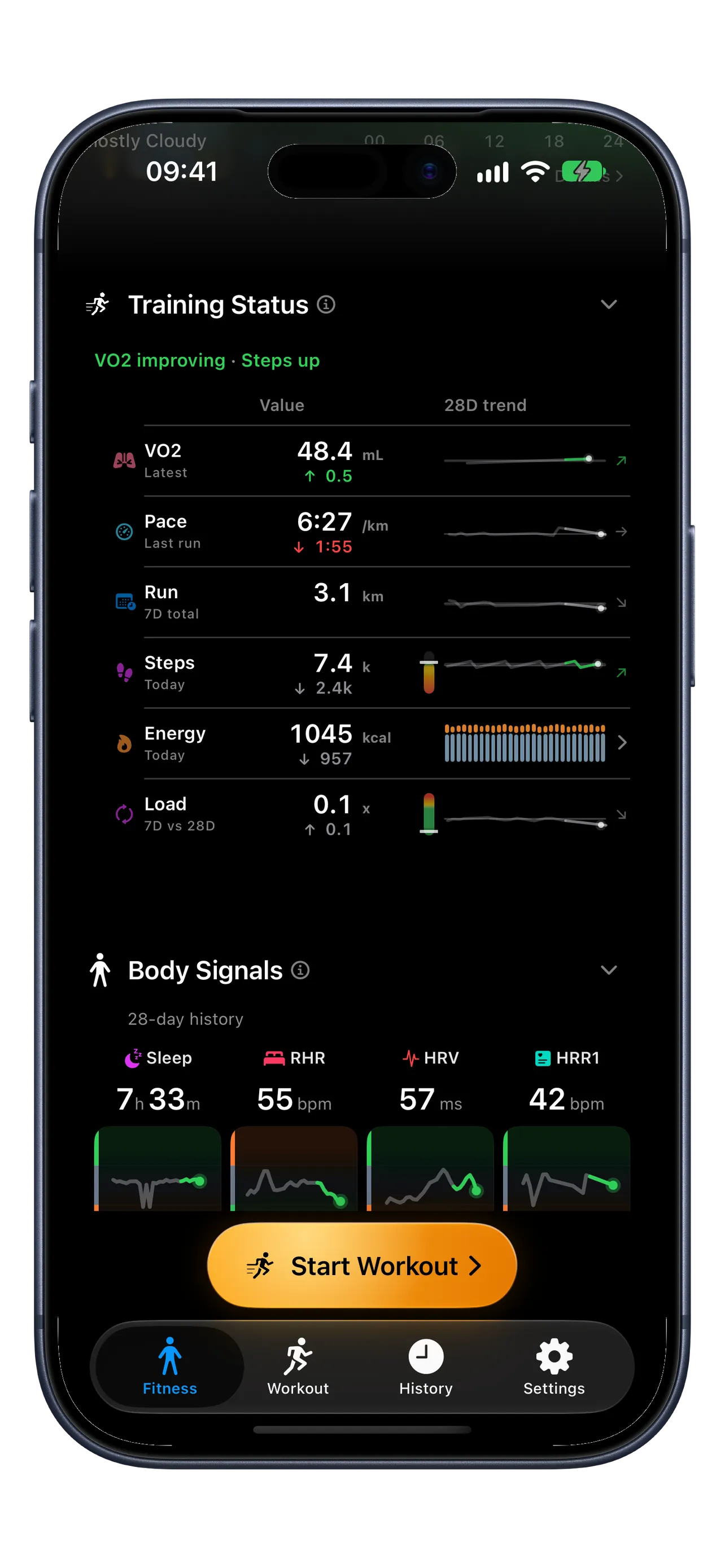
See how your fitness, everyday activity, and recent training are changing. Bring the latest values, comparisons, and longer-term trends together in one view.
- Fitness and running. VO₂ max estimates aerobic fitness. Pace shows your last run’s average, while recent running distance puts your week in context.
- Movement, energy, and load. See daily steps and energy burned, including resting and active energy. Training load compares recent training with your own baseline.
- Read across each row. Value is the latest measurement or current-period total. “vs prior” compares the relevant earlier value or period. Trend shows the longer-term direction, so you can look beyond a single day.
Comparisons depend on the metric: steps use yesterday’s complete total; energy compares today and yesterday through the same local time. A higher value is not always better.
02 / Premium · The context behind your effort
Body Signals
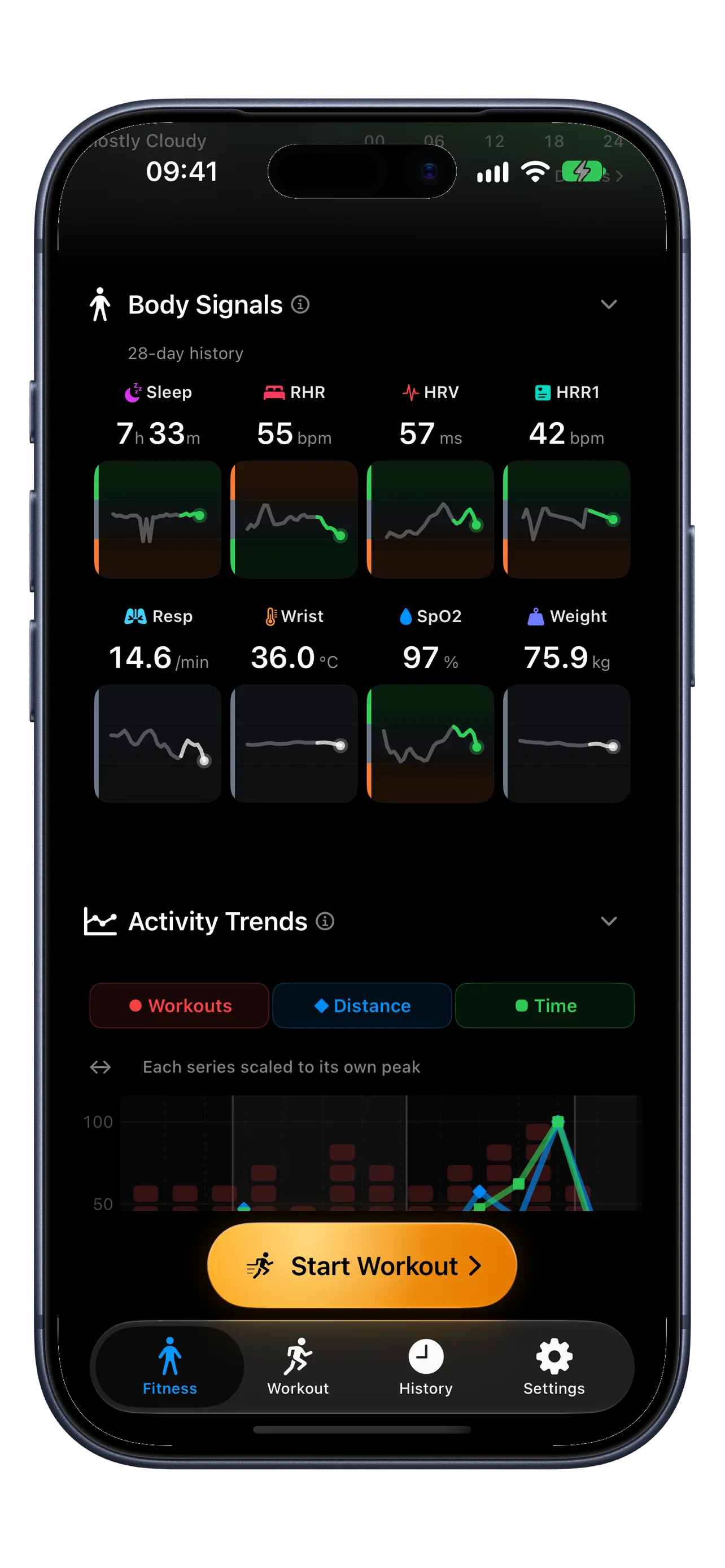
Bring sleep, heart measurements, and other Apple Health readings alongside your training. See what is typical for you and how your recent readings compare.
- Sleep and overnight HRV. See your sleep duration and heart-rate variability, the variation in time between heartbeats. Overnight HRV uses readings from a qualifying main sleep period.
- Your heart at rest and after effort. Resting heart rate shows your heart rate at rest. HRR1 is one-minute heart-rate recovery, the drop in heart rate after a workout.
- The wider picture. Review respiratory rate (breaths per minute), wrist temperature, blood oxygen (SpO₂), and weight when those measurements are available.
- Check freshness as well as the number. Read each signal’s trend and data status. An older reading may remain visible when fresh evidence is missing; missing data is not a zero.
Available signals depend on your devices, the Apple Health measurements you share, and enough history. They provide personal context, not a medical diagnosis.
03 / Premium · Your activity over time
Activity Trends and Activity Overview
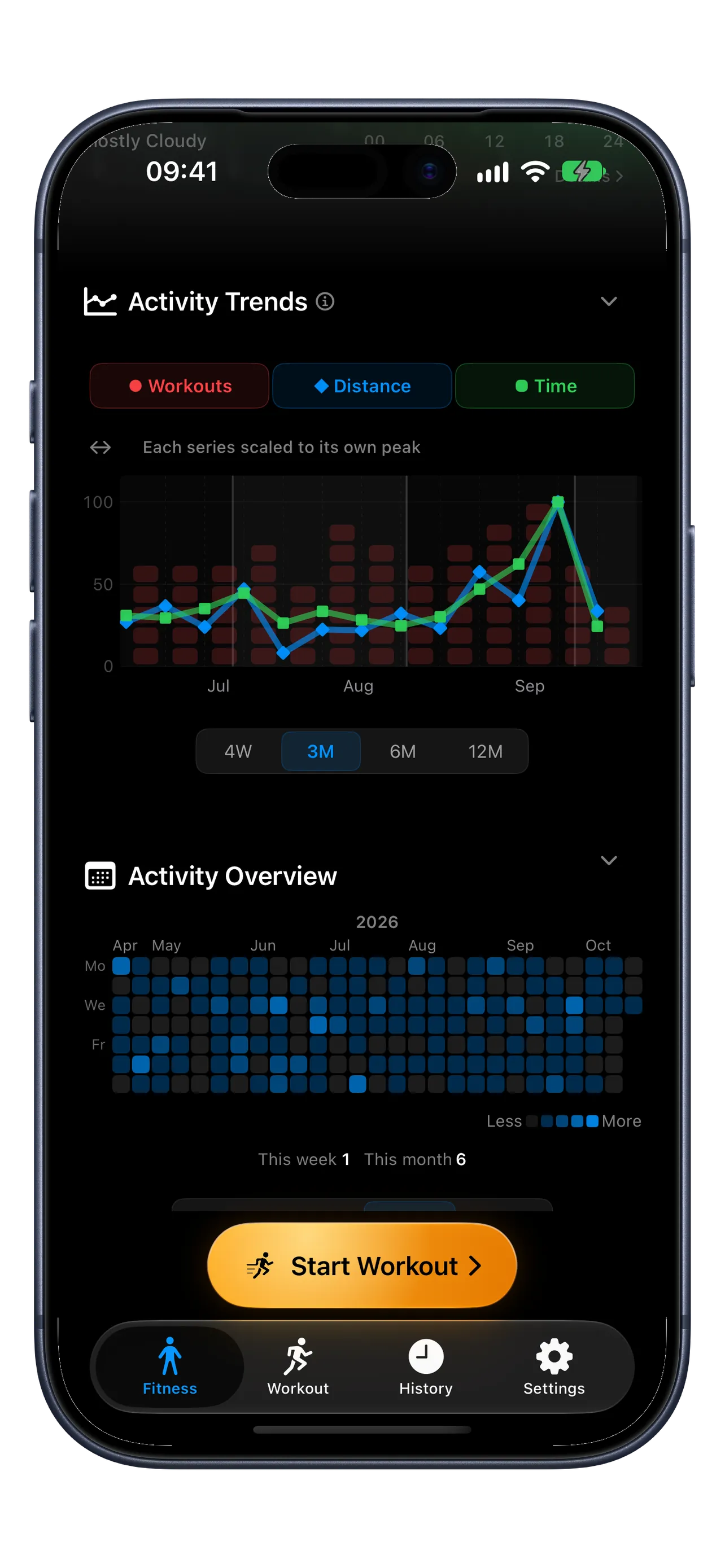
Finish with the bigger picture: how much you move across the weeks, and the individual days that build your routine.
- Activity Trends. Follow workout count, distance, and time across your selected period. Switch between four weeks, three months, six months, and a year.
- Read the chart. When several metrics are shown, each is scaled to its own peak. Compare their patterns, rather than treating the line heights as the same units.
- Activity Overview. See your active days in the calendar and your workout totals for this week and month. The daily pattern helps you spot consistency and quieter stretches.
These views reflect the workout history available to RunZone.
Run in the Zone.
Make your next workout count.
Start with outdoor running on iPhone. Add Premium when you want more.
