

Find your rhythm. Stay with it.
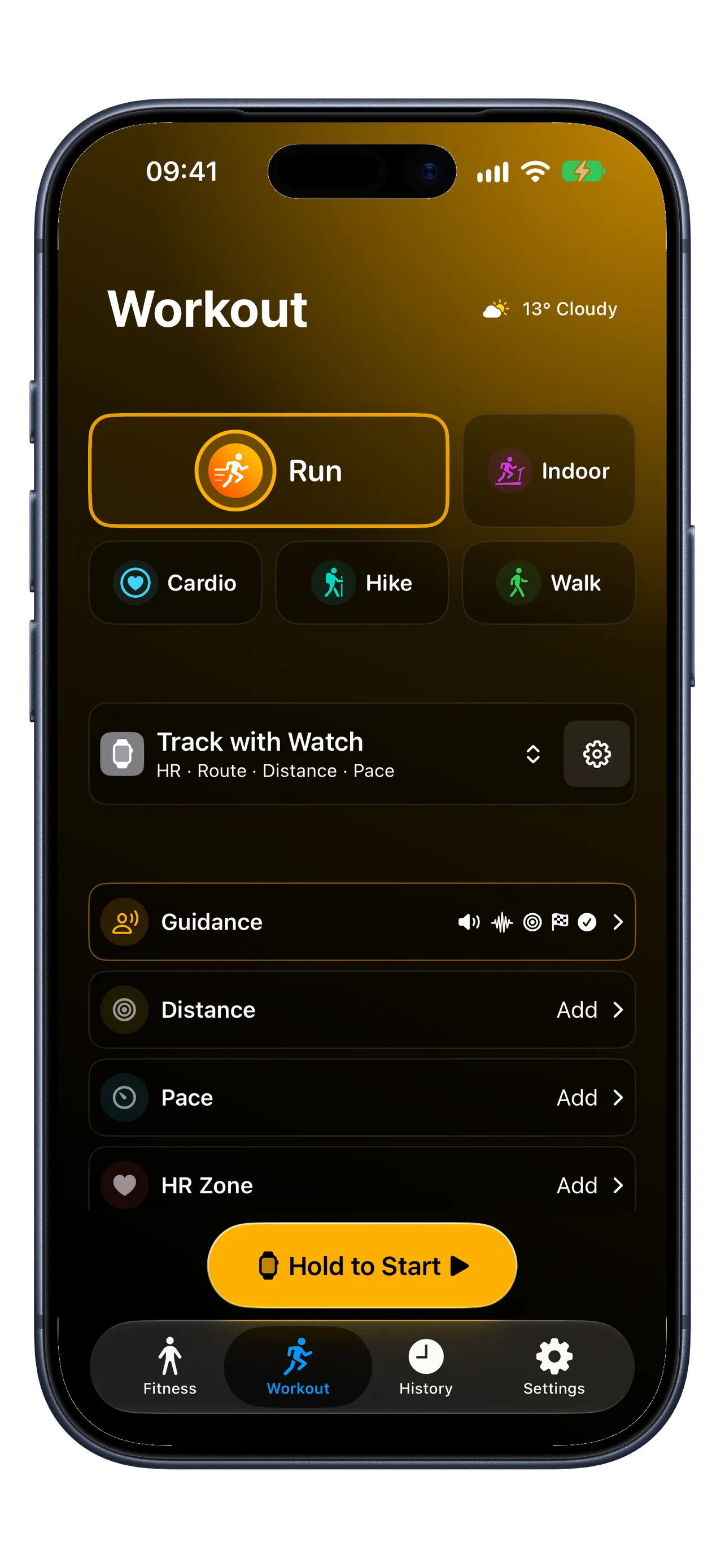
Prepare your run on iPhone. With Premium, choose Apple Watch, set your goals, then hold to start on iPhone and confirm on Apple Watch.
Free outdoor Run on iPhone. Premium adds Run and Indoor Run on Apple Watch, goals, Guidance, and detailed analysis.
Your iPhone Live Activity shows workout status and lets you pause or resume the recording device. Finish opens the app for confirmation. Watch controls need a connection to your iPhone.
iOS 26+ · watchOS 26+ Device requirements
Requires iOS / iPadOS 26 or later. Apple Watch workouts require Premium and watchOS 26 or later on Watch Series 6+, SE 2+, or Ultra.
- Works with Apple Health
- Health data stays on your devices
- No RunZone account
- Premium Watch workouts work offline
01 / Premium · Live effort and coaching
Stay with the effort you intended.
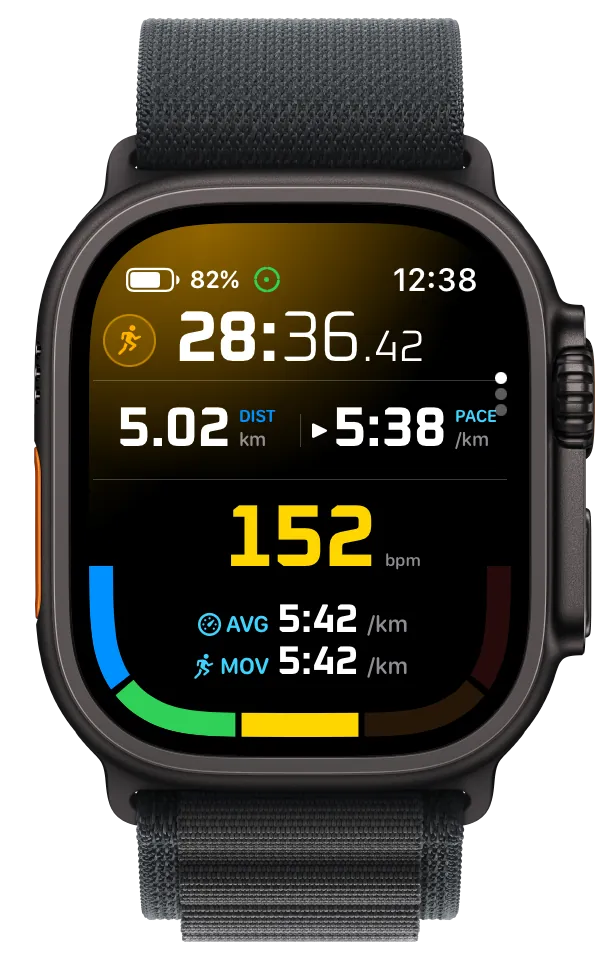
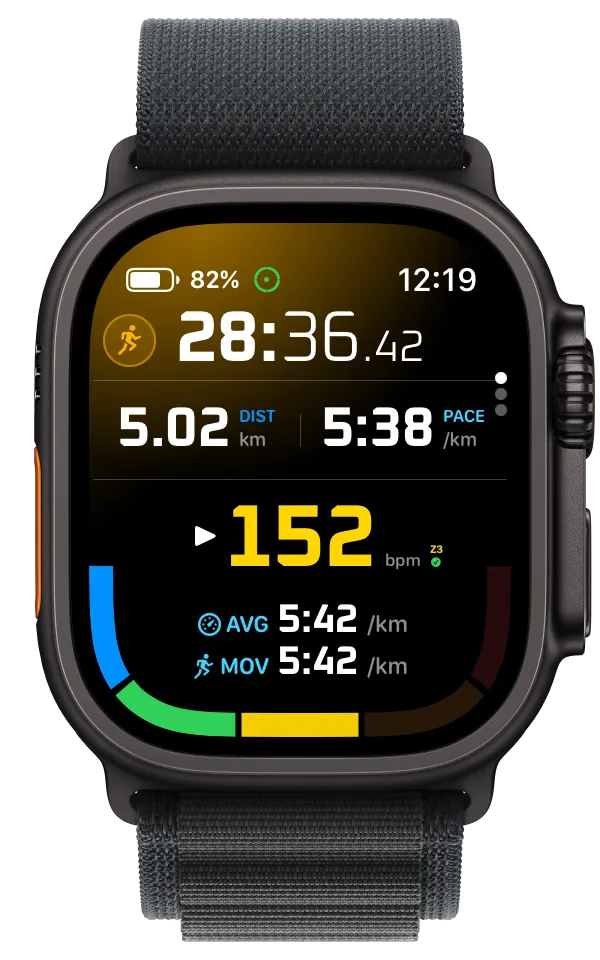
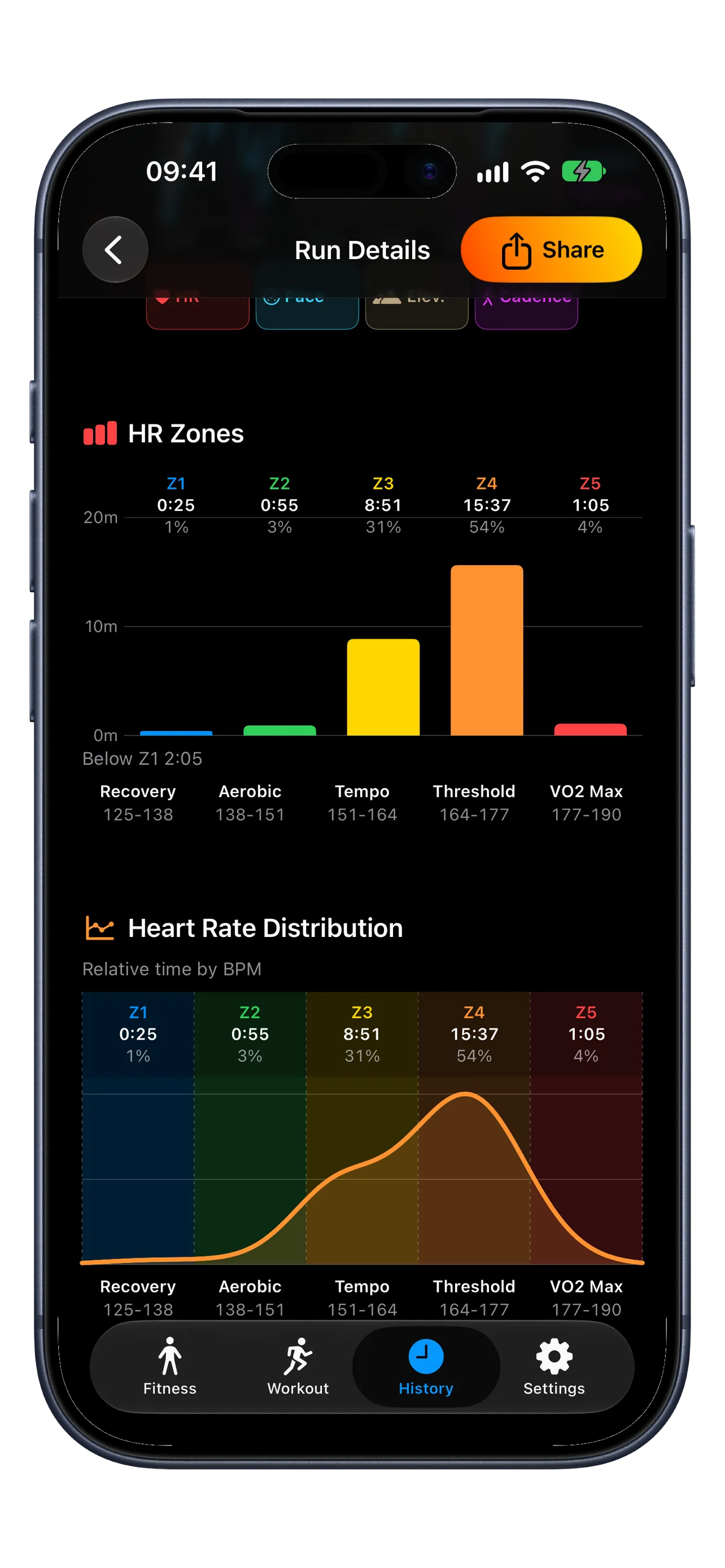
Five heart-rate zones, Z1 through Z5, make your changing effort easy to follow on Apple Watch. Set a zone goal and let Training Coach help you stay on track.
- Target a zone. Choose a target heart-rate zone for guidance when you move above or below it. HR-zone goals use Apple Watch tracking.
- Set an upper limit. A maximum heart-rate zone warns only when you go above your selected zone, leaving you free to stay below it.
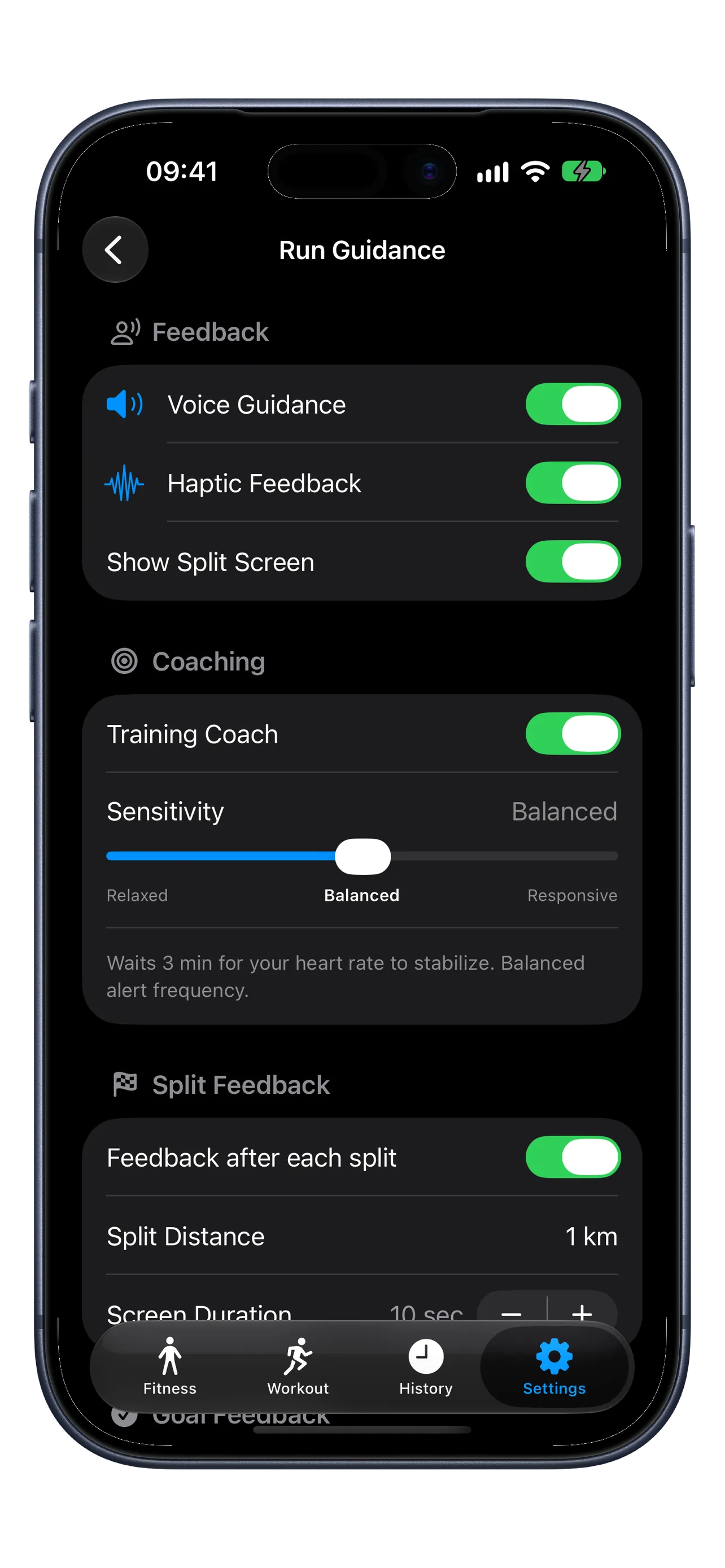
- Choose your coaching rhythm. Training Coach gives pace or zone feedback through voice and haptics. Relaxed, Balanced, and Responsive sensitivity adjust how quickly and often it responds.
02 / Premium · Your run, your feedback
Hear what matters to you.
Set distance or pace goals with Premium, then choose the cues that help you run. Guidance keeps your preferences separately for each workout type, ready for your next session.
- Hear it or feel it. Turn voice and haptics on together or independently. Choose goal feedback for progress and achievements.
- Mark each split. Choose spoken split details such as pace, elapsed time, heart rate, and zone. Split Feedback and the on-screen split display have separate controls.
- Take it indoors. Premium Apple Watch supports Run and Indoor Run, with separate Guidance choices for each.
Free outdoor Run recording includes iPhone Live Activity controls and Apple Health workout and route save.
03 / After the finish
See how the run came together.
Put the effort you felt alongside the workout you recorded. Revisit the route, then look closer at the changes along the way.
- Keep the essentials close. Free keeps your three newest eligible workouts readable, with core stats and basic route maps.
- Look beyond the average. Premium charts bring heart rate, zones, pace, elevation, and splits into your review.
- See your recovery. Premium offers a guided Watch cooldown when your ending heart rate is elevated. With suitable readings, HRR1 and HRR2 show the drop from your workout peak after one and two minutes. HRR1 can appear in History; HRR2 is live-only.
04 / Keep it, share it
Your workouts, ready to revisit.
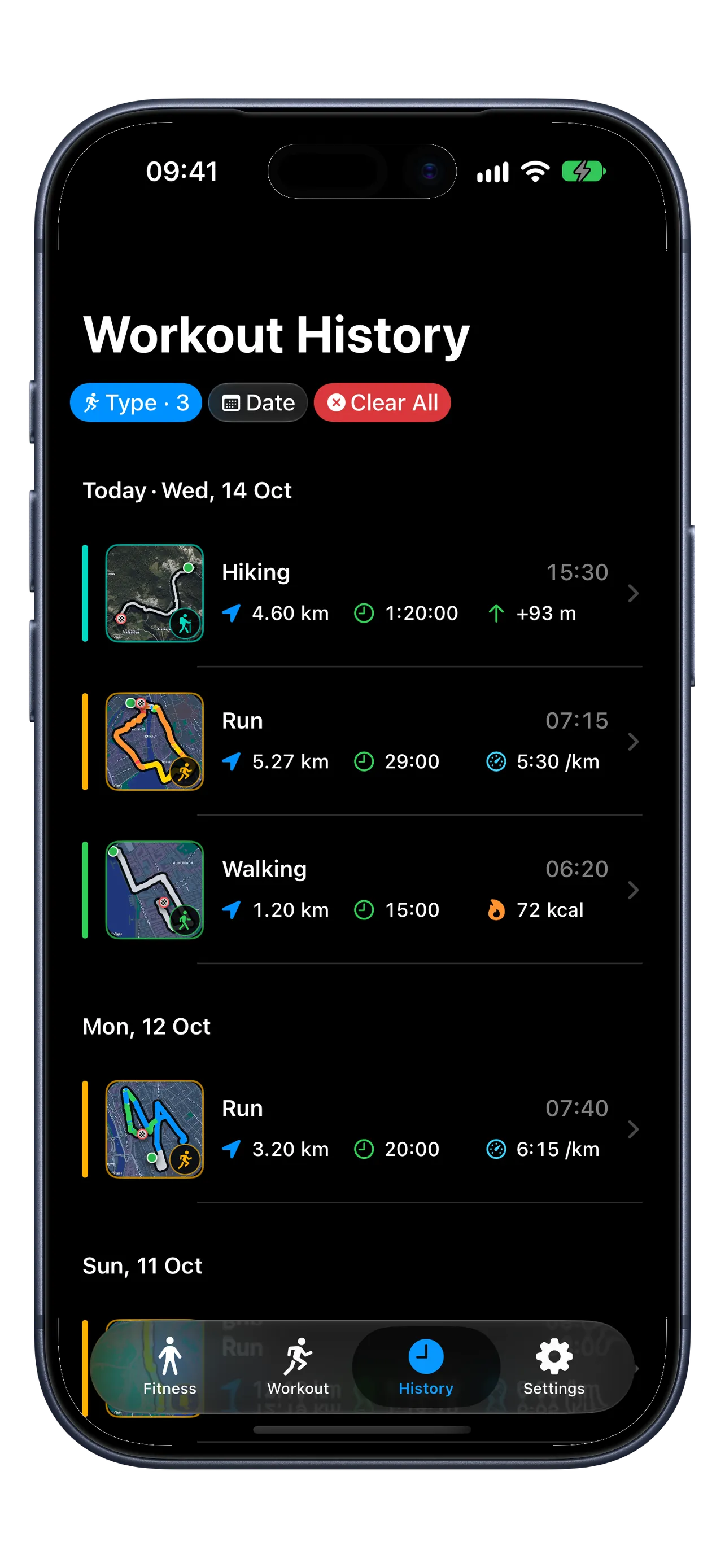
Find a past run, share a summary, or take your recorded route with you. History brings your runs, walks, and hikes together.
- Find the day you want. Workout-type and date filters are available on Free and Premium. Free keeps your three newest eligible workouts readable; Premium opens your full readable History.
- Share the moment. Choose Share Workout Image for a summary with your route. Save it to Photos or send it from the share menu.
- Take the route with you. Choose Smoothed GPX for a cleaned-up track or Original GPX for the valid route points stored in Apple Health. Export needs recorded GPS route data.
Image sharing and both GPX options are available on Free for readable Run, Walking, and Hiking workouts. Files are prepared on your device.
Run in the Zone.
Make your next workout count.
Start with outdoor running on iPhone. Add Premium when you want more.
